LinkedIn's connections export loses emails, companies and job titles on 20 December
Names, profile links and connection dates stay. Email addresses, current companies and job titles go. If you want them, request your archive this week.
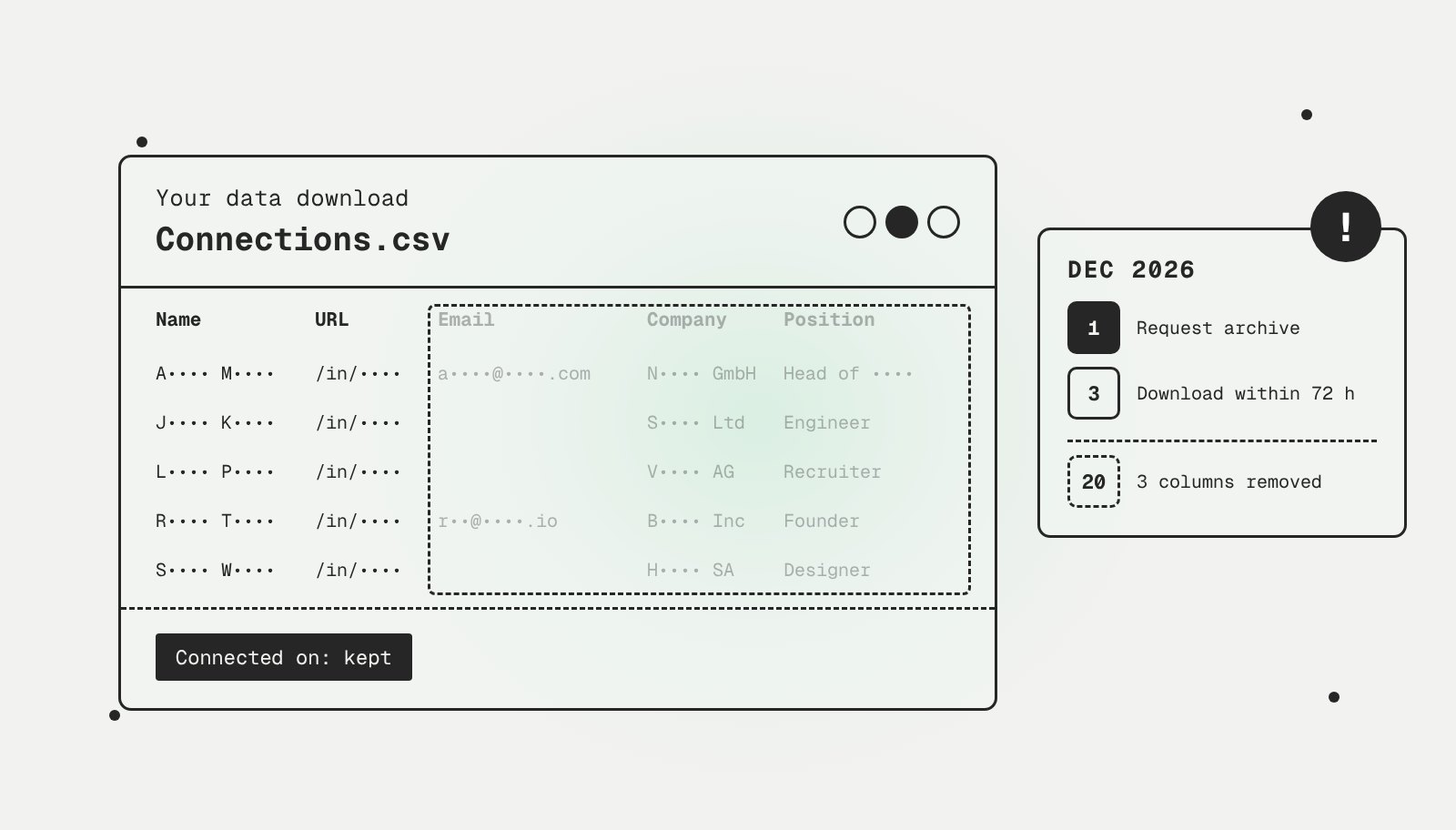
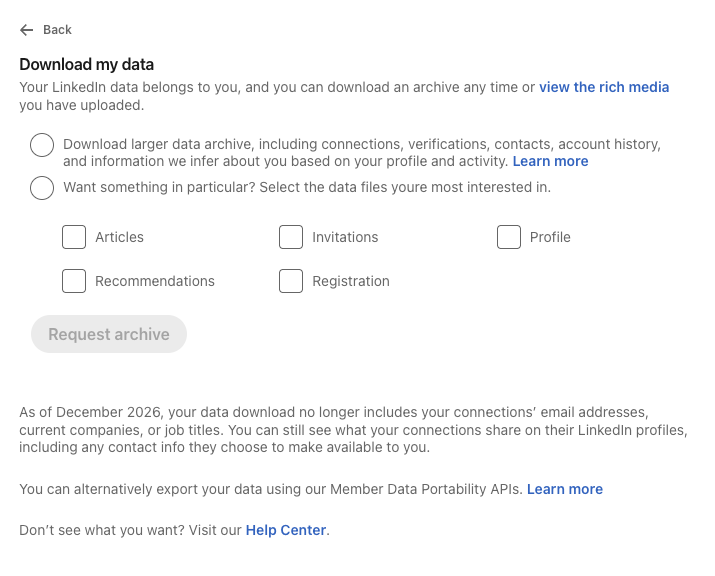
Around 22 November, a line of grey text appeared under the Request archive button on LinkedIn's data download page. There was no blog post or press release. A few days later LinkedIn's help page gave the date: "Beginning December 20th, 2026, we will update the connections export." From then on, LinkedIn says, "you will no longer receive the email address, current company, and title of the members" you are connected to.
What changes in Connections.csv
| Column | Until 19 December | From 20 December |
|---|---|---|
| First Name, Last Name | Included | Included |
| URL (profile link) | Included | Included |
| Connected On | Included | Included |
| Email Address | Only if the connection allows it | Removed |
| Company | Included | Removed |
| Position | Included | Removed |
LinkedIn hasn't published the new file layout; the kept columns are what its notice and early reports describe.
Email addresses matter less than the headlines suggest. Since 2018, each member decides whether their connections may download their email address, and most leave that off. In one export of 1,086 connections that Tin published, 13 rows (1.2%) had an email address, while 1,040 (96%) had a company and a position. The real loss is the company and job title: without them, the file is a list of names and links, and you have to open each profile to see who someone is and where they work now.
20 Dec
LinkedIn removes the three columns
48 h
Connections can take this long to arrive
72 h
The download link stays valid this long
Why request it by 1 December
The official date is 20 December, but there are good reasons not to wait. The first reports only said "December 2026", and several guides named 30 November or 1 December as the safe cutoff before LinkedIn's help page gave a day. The full archive isn't instant either: LinkedIn says it arrives within 24 hours, yet lists connections under "Available within 48 hours". The link in the email expires after 72 hours. And LinkedIn hasn't said what happens to a request that is still being prepared when the change goes live. Requesting it now leaves you time to try again if the email never comes or the link runs out.
How to download your connections
Use a computer. LinkedIn says the data download isn't available in the mobile app.
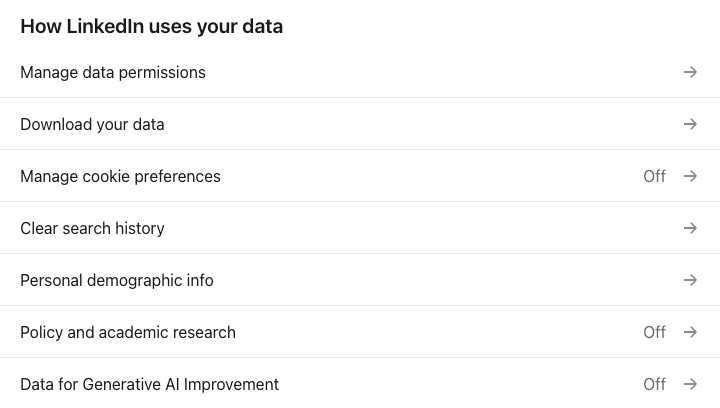
Click Me, then Settings & Privacy, then Data privacy, then Download your data (under How LinkedIn uses your data).
Choose Download larger data archive, including connections, verifications, contacts, account history, and information we infer about you based on your profile and activity. Don't pick single files: that list offers articles, invitations, profile, recommendations and registration, but not connections.
Click Request archive and enter your password if asked.
Wait for the email from LinkedIn, then download the ZIP file within 72 hours.
Open Connections.csv and check that the Company and Position columns are filled in. If they are, you have the old format.
The archive holds more than your connections: your messages, invitations, profile history, any address book you once imported, and what LinkedIn infers about you. It is worth a look in its own right. It shows you what one platform keeps about you, much like a GDPR access request.
The file is other people's data. Keep it that way
LinkedIn says it is making the change for your connections' privacy, and there is a point to that. A spreadsheet with hundreds of names, employers and job titles is exactly what sales tools and data brokers want. Exported contact lists that get uploaded to enrichment services, CRMs and browser extensions are one way business details end up on sites like ZoomInfo and ContactOut, where anyone can buy them.
- Keep the file in encrypted storage, not in an inbox or a shared folder.
- Don't upload it to "enrichment" or lead tools, and be careful with browser extensions that ask for it.
- Keeping your own contacts for personal use is one thing. Under GDPR, using them for marketing is another, and needs a legal basis.
- Delete copies you no longer need.
After 20 December
Nothing disappears from LinkedIn itself. Profiles still show what each person chooses to share, and LinkedIn says "you will still have access to the information your connections choose to share with you." You just can't get it in one spreadsheet any more. Members in the EU, EEA and Switzerland can also use LinkedIn's Member Data Portability APIs, but they need a developer app and aren't a simple download.
If your own name, employer and work email are already in someone else's export, they may well be on data broker sites too. BetterPrivacy finds where your details are exposed on people-search sites, data brokers and directories, and helps you get them removed. A free scan shows your top 3 results in full.
Sources
- Downloading your account data — LinkedIn Help
- LinkedIn Hoped You Wouldn't Notice. Download Your Data Now! (22 November 2026) — Full Stack Recruiter
- How to export your LinkedIn connections, before and after December 2026 — Tin
- LinkedIn users urged to download their data before major change removes three important details (27 November 2026) — UNILAD Tech
LinkedIn's help page and download settings checked on 28 November 2026; menu labels checked against LinkedIn's English settings page. Tin sells LinkedIn tools; its sample export figures come from a single account. Labels in LinkedIn's settings can differ slightly by language and account.